Turn every bid result - win or lose - into your next advantage
Capture feedback and improve the next opportunity
Explore the Post-Bidding Journey in BidScript
Explore the Post-Bidding Journey in BidScript
Journey step 1 of 4
Scroll through each step
Step 1 of 4

Score 78 / 100 · 24 comments parsed
Per-question scores · 24 rows

12 themes tagged · 9 actions

Verbatim quotes · 9 highlights
Every comment automatically mapped back to the question it relates to — ready for your team to action.
View insightsOutcomes
Upload Your Feedback and Let BidScript Do the Heavy Lifting
When evaluator feedback arrives, upload it directly to the Outcome area. BidScript reads the document, extracts scores and comments automatically, and maps them back to the questions they relate to — so your team isn't manually cross-referencing a feedback PDF with a submission that's weeks old.
Feedback mapped to the work
<10 mins
To process & map feedback
100%
Of scores and comments extracted and linked
Searchable
Outcome data retained across full bid history
Outcomes
Turn Low Scores Into Better Answers — Before the Next Similar Tender Arrives
Every question that scored below expectations becomes an improvement task. BidScript surfaces the evaluator's comments alongside the original response, giving your writers the context to produce a stronger answer — one that's ready to deploy the next time the same question appears in a tender.
Improve the answers that matter
+35%
Average win-rate uplift across users
60–80%
Of questions repeat across procurements
Permanent
Improved answers reused across the team
Outcomes
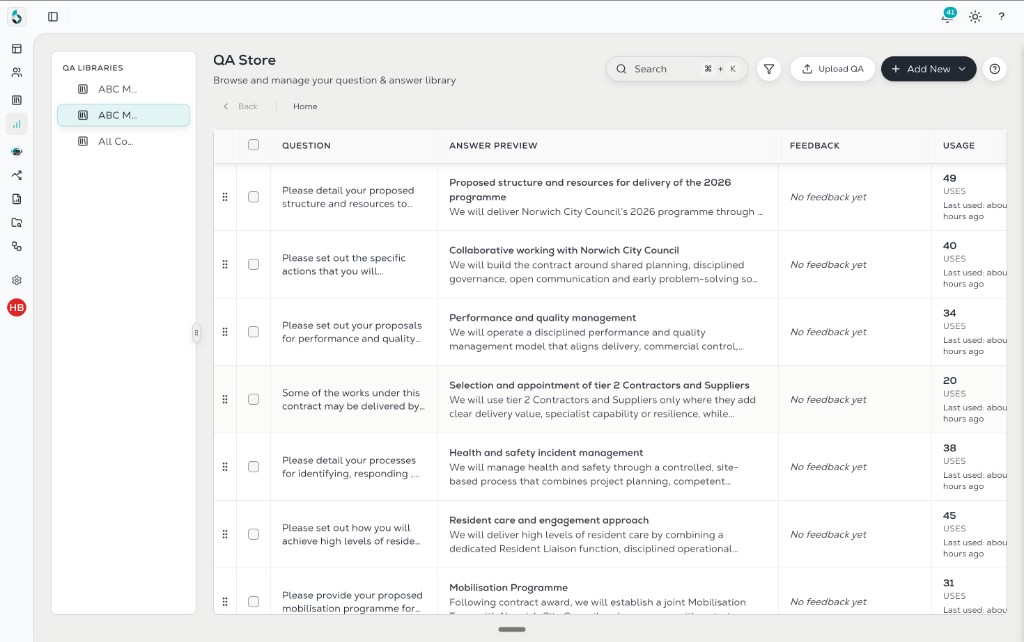
Every Improved Answer Goes Back Into the Library — So Your Whole Team Gets Smarter
Refined responses don't sit in a debrief document that nobody reads twice. BidScript adds them back into your QA store — tagged, searchable, and enriched with the outcome data, score, and evaluator feedback that shaped them. Every submission makes your knowledge base stronger. Every win compounds.
Knowledge compounds
100%
Of outcome feedback fed back automatically
200–500
Documents added to bid library per year (avg)
Captured
Scores and context on every submission
Outcomes
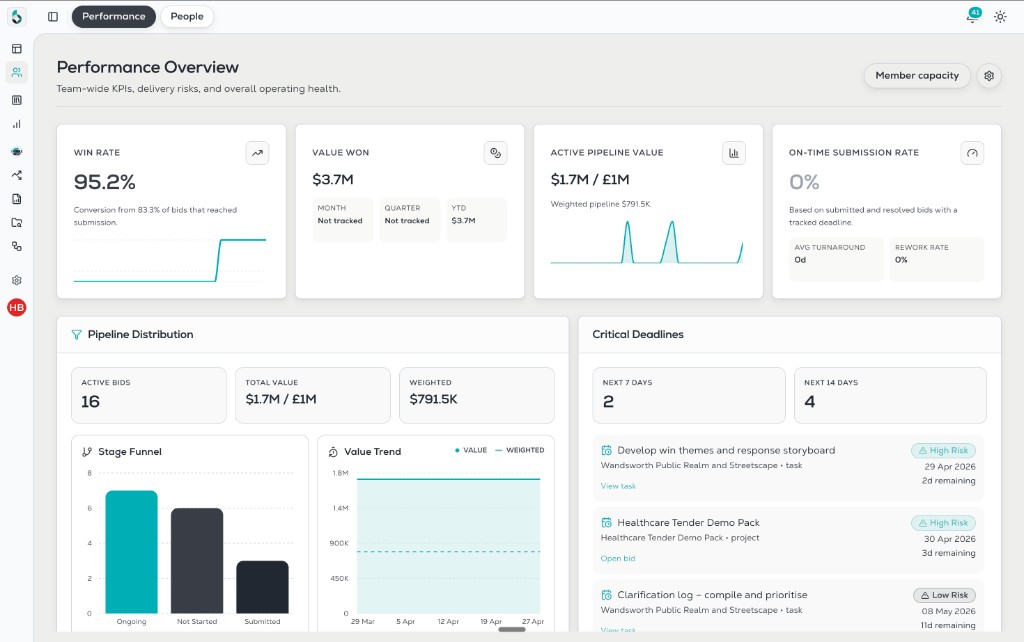
Track What's Working — and Double Down on It
The performance dashboard gives your leadership team a clear view across your full bid history — win rates by sector, by contract value, by bid writer, by question type. Spot where your team is strongest, where you're losing on price versus quality, and where to focus bid resource for maximum return.
Leadership visibility
+35%
Win-rate uplift when acting on data insights
10+
Analytics views across the dashboard
One view
For win rate, pipeline value, and bid volume
Continuous improvement
Win / loss
Debrief capture
Knowledge fed back
Insight loop
Across bids
Trend visibility
Every Bid You've Ever Lost Contains the Instructions for Winning the Next One.
BidScript captures that knowledge automatically. Book a demo and see how the platform turns your bid history into your biggest competitive advantage.